
No server to start,
see the SQL first
IntelliJ IDEA plugin: see the exact SQL while you write it — Wrapper chains, XML/annotation/HQL dynamic SQL (incl. MPJ joins) previewed live. Once it runs, real parameters and durations are captured automatically with slow-query highlighting, EXPLAIN plans and one-click jumps back to the source line; SQL also converts back into Java code. No server to start, no logs to dig through, no parameters to hand-assemble.
- Updates without restarting IDEA
- Works offline on intranets
- Reports no usage data · your code never leaves the machine
LambdaQueryWrapper<DeviceInfoEntity> wrapper = new LambdaQueryWrapper<>() .eq(DeviceInfoEntity::getId, 1001L) .isNotNull(DeviceInfoEntity::getStationId);SELECT id, station_id, share_scheme_idFROM device_info_entityWHERE id = 1001AND station_id IS NOT NULLDebug SQL far faster
Simpler tooling, clearer logic. Every detail of the workflow is tuned so you get more done in less time.
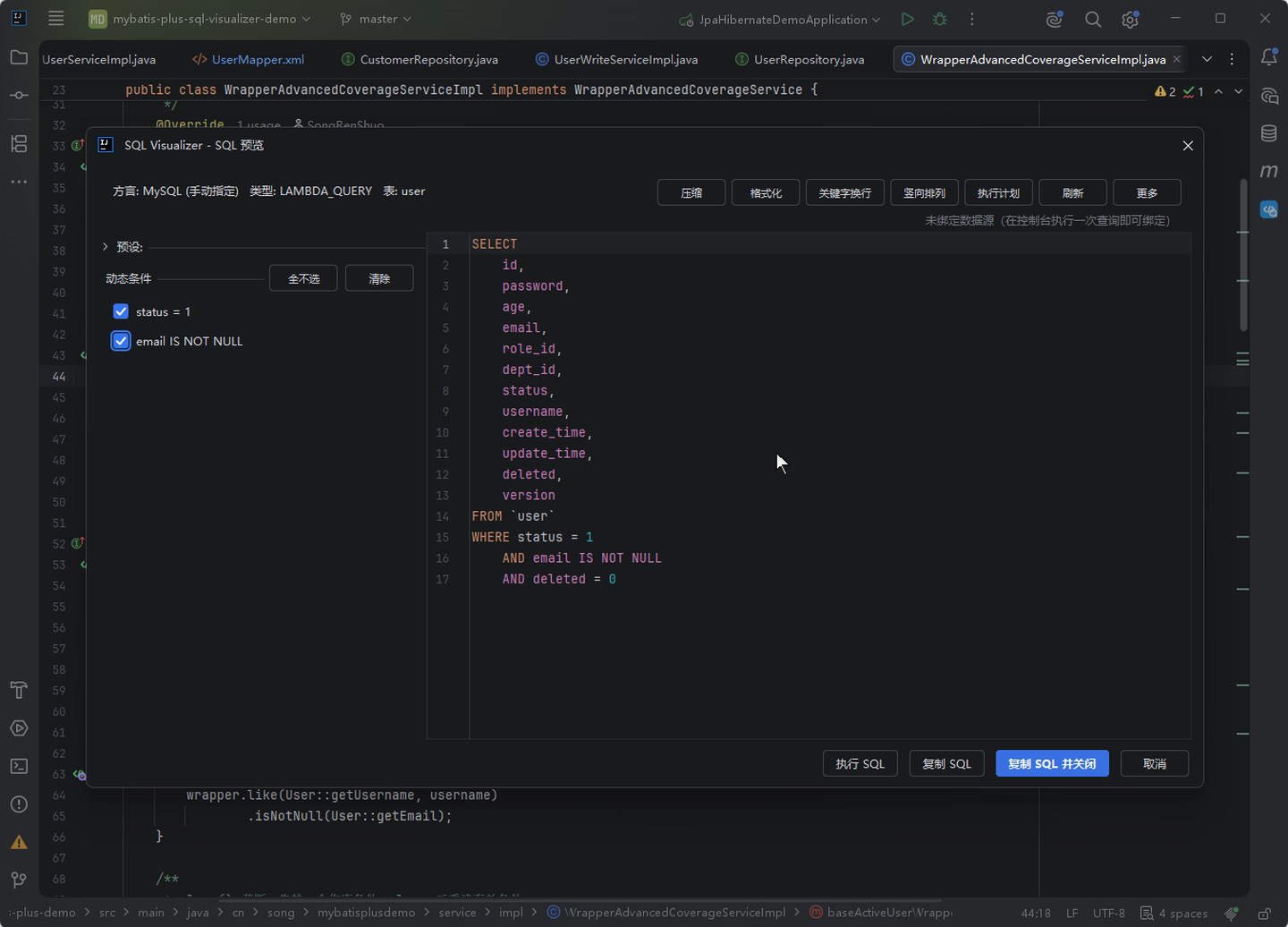
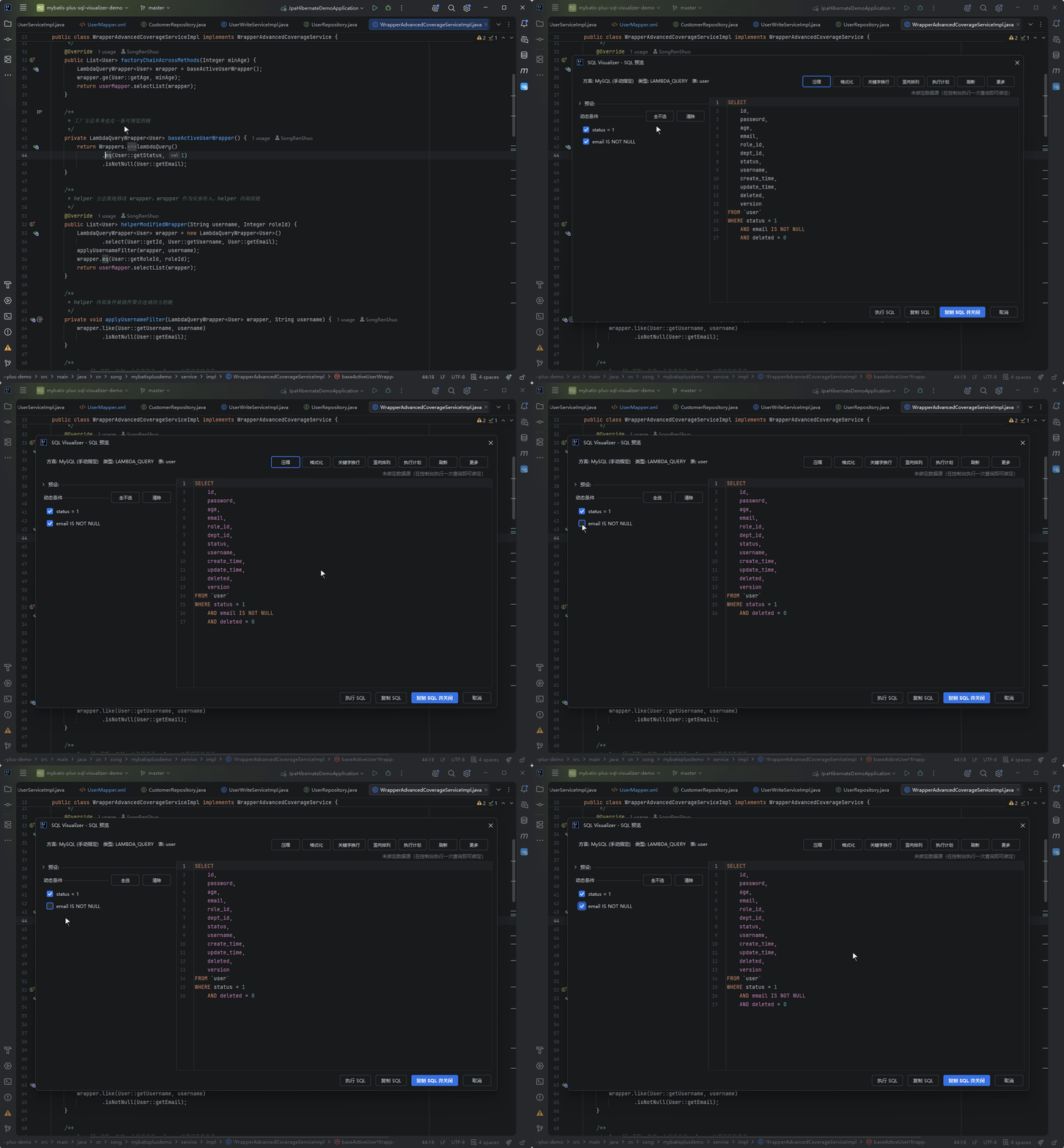
Wrapper → SQL Live Preview
Static parsing for every wrapper type — LambdaQueryWrapper, MPJLambdaWrapper and more. No project launch, straight to the final SQL.
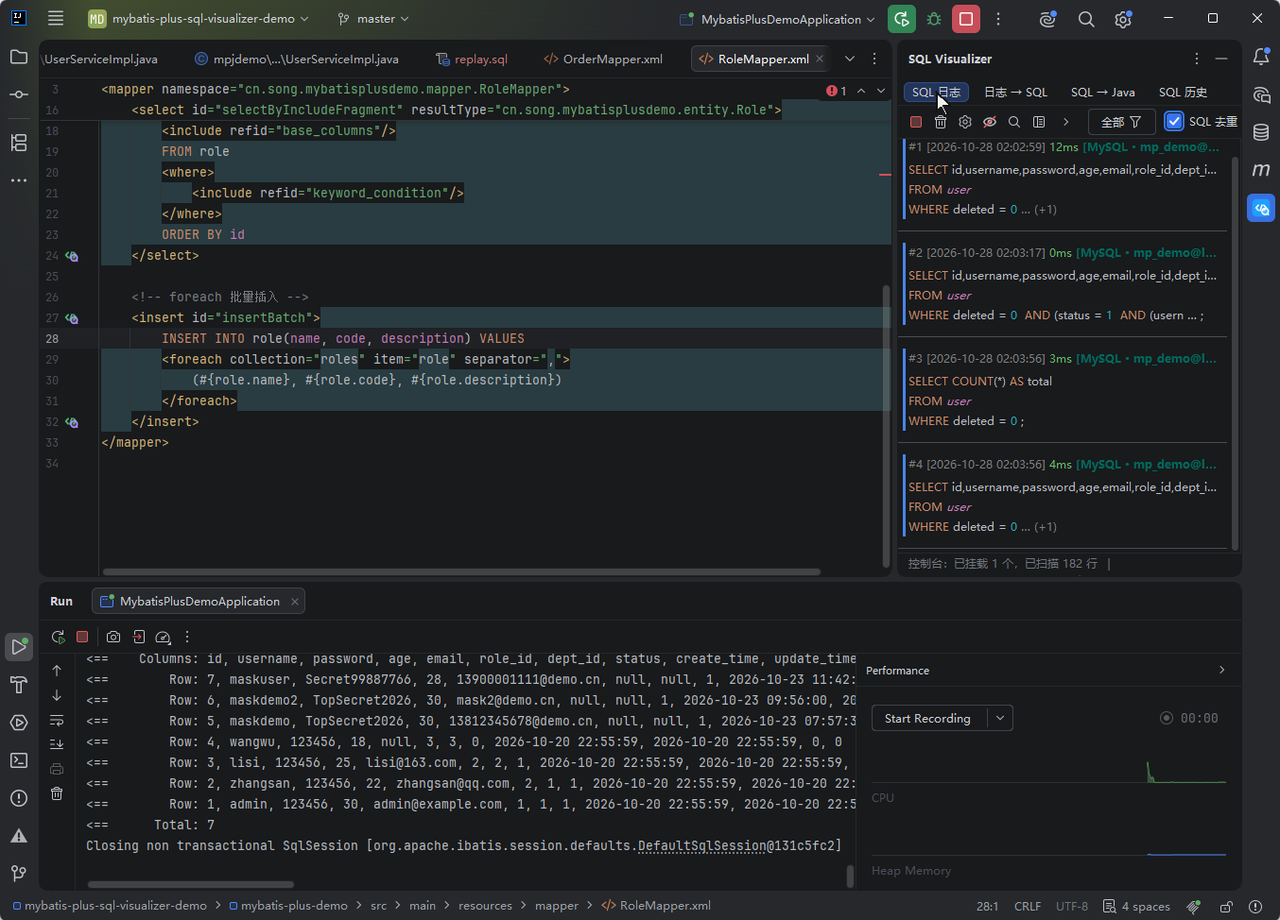
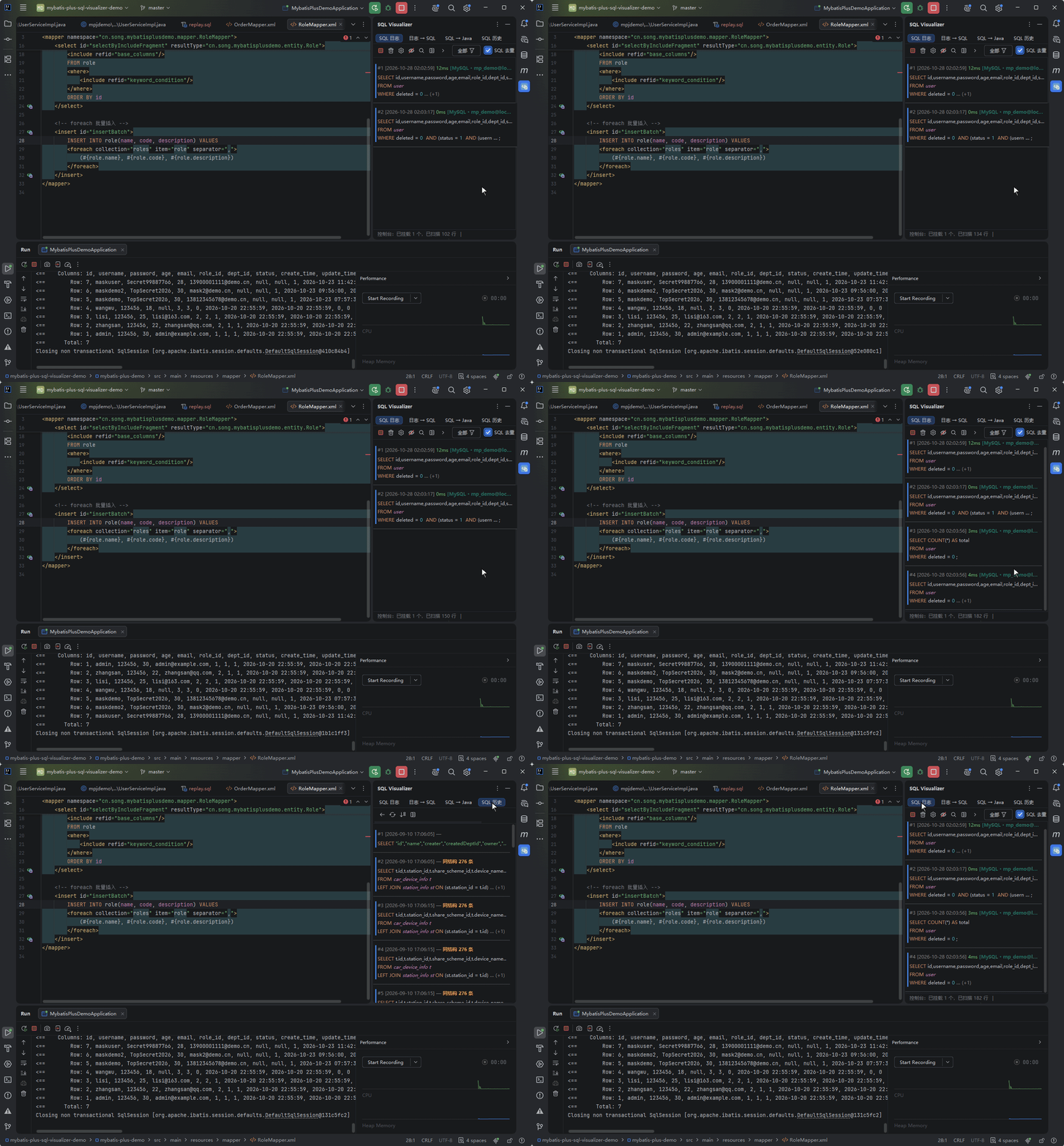
One-Click Console Log Restore
Enhanced capture is the default channel — real parameters and exact durations with no SQL logging setup, and console logs captured and restored automatically.
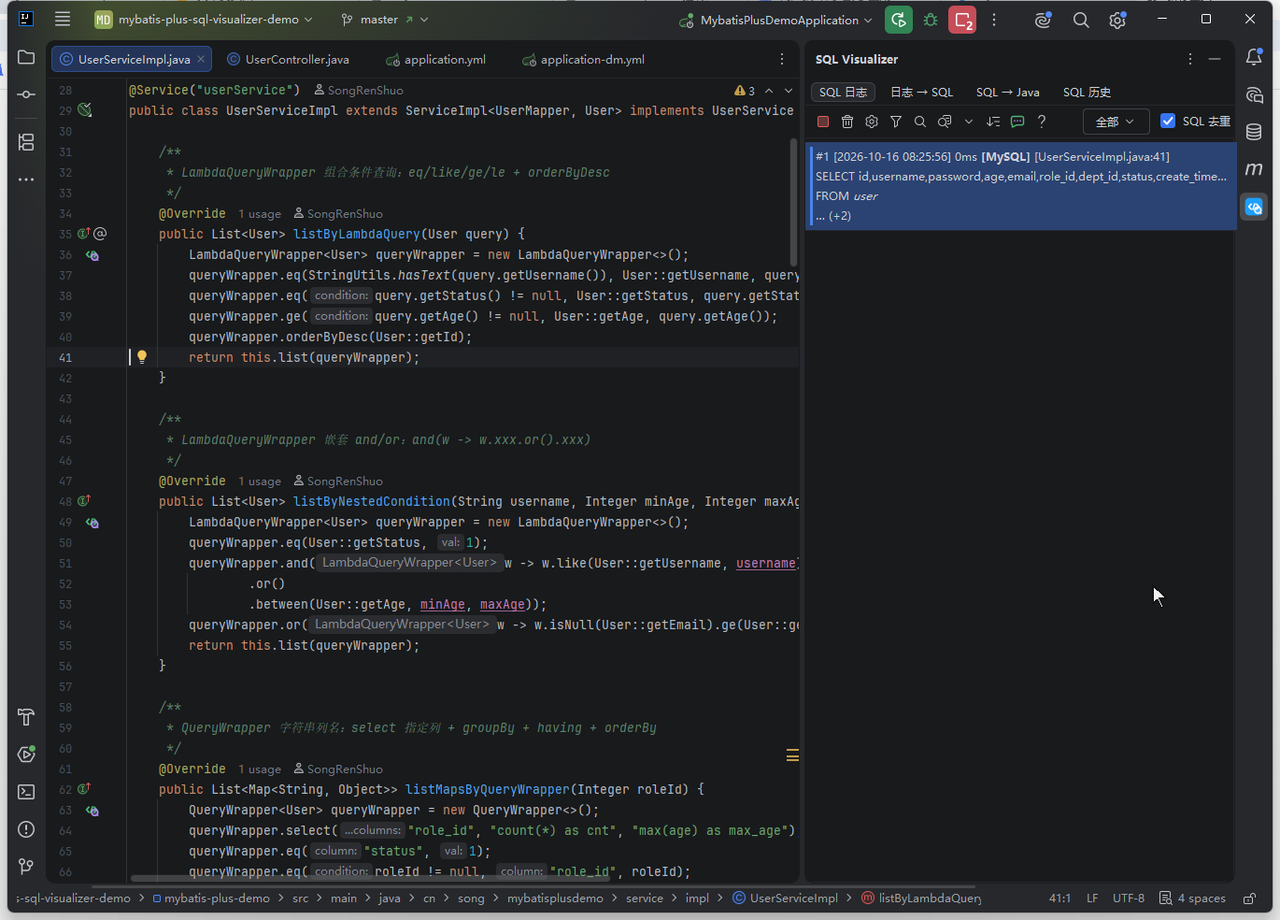
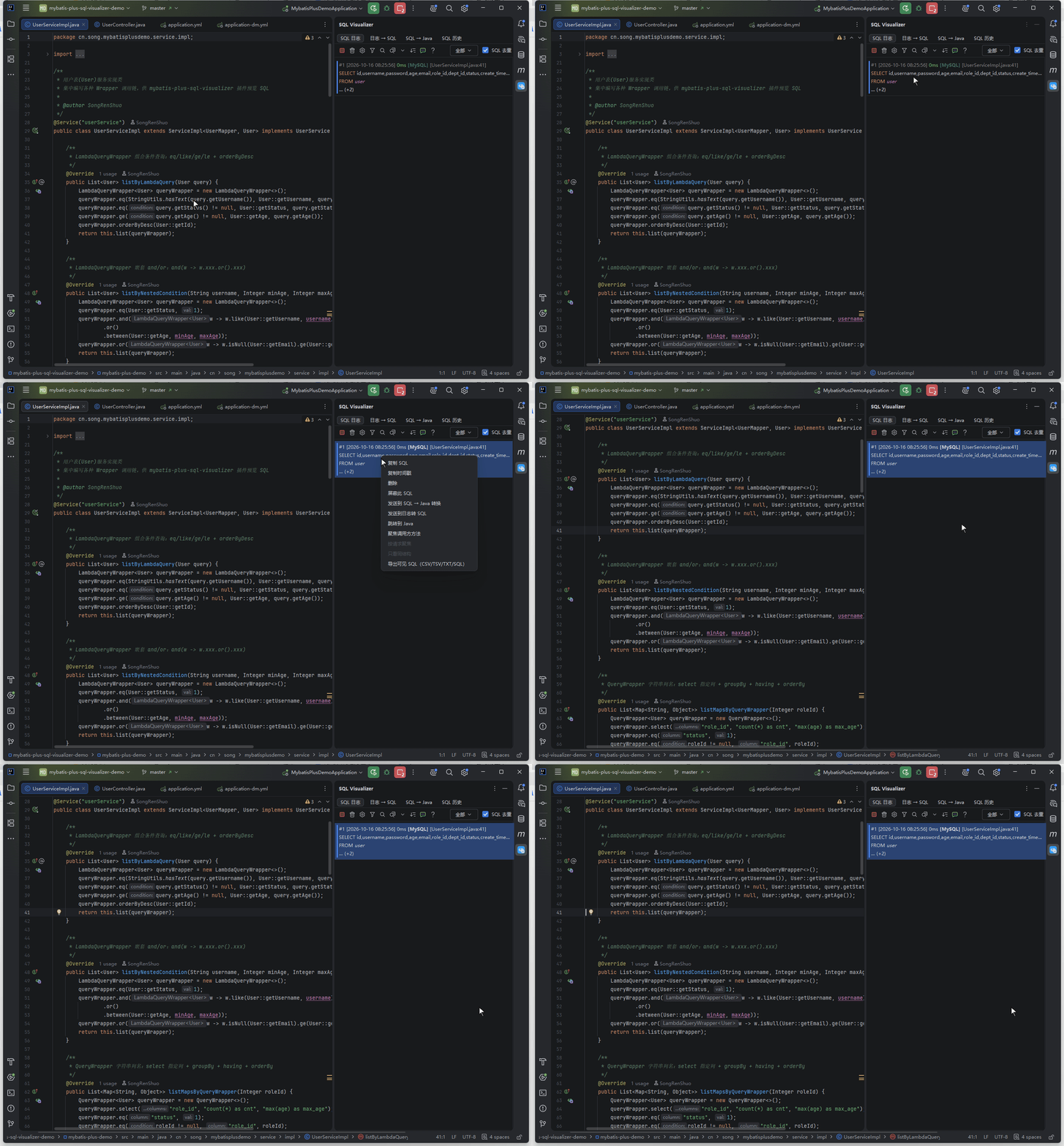
SQL Tracing · From Log to Source Line
Jump from any executed log entry straight back to the line that issued the SQL; the preview panel lists the full call stack frame by frame — click a frame, land on its source.
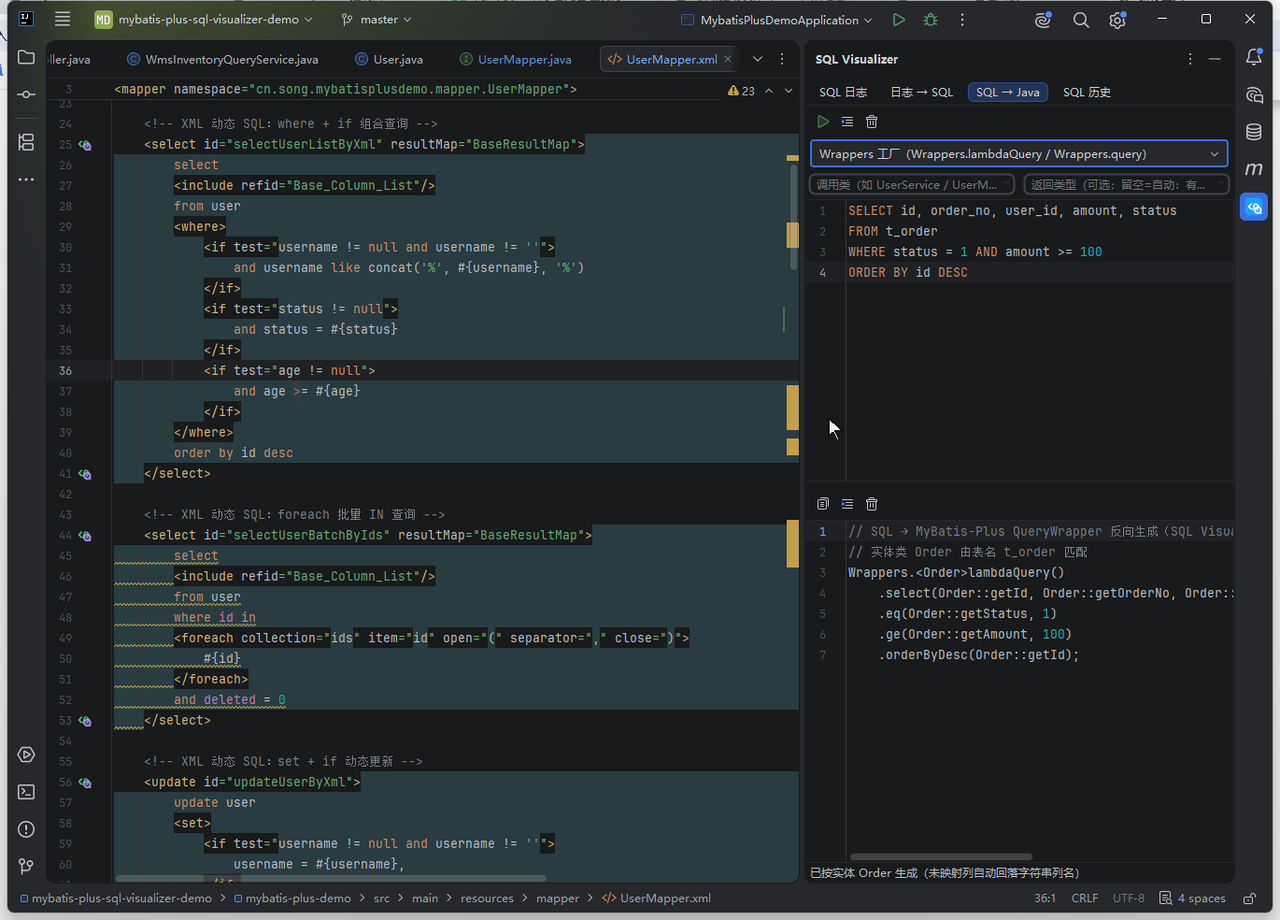
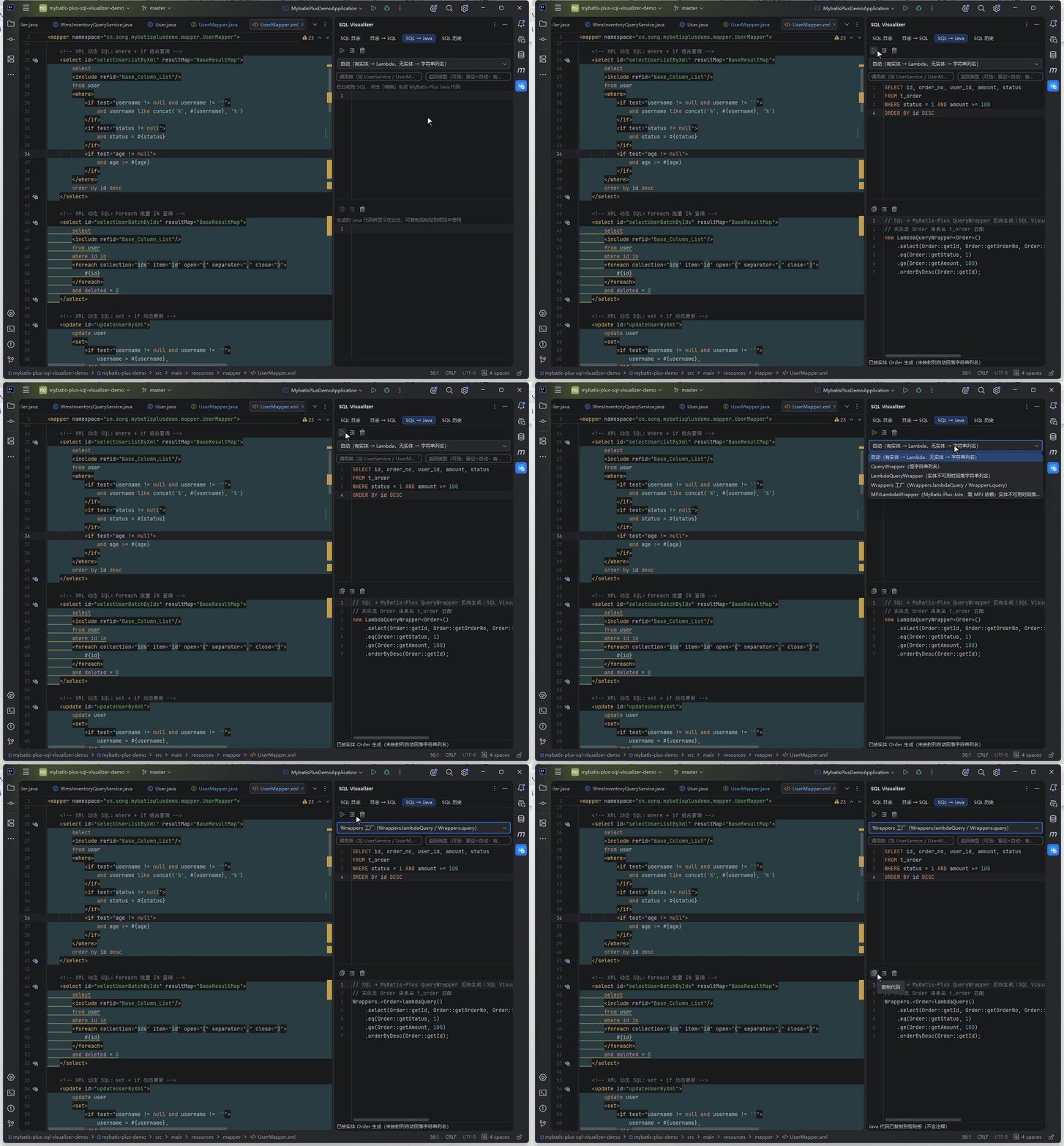
SQL → Java Reverse Conversion
Select SQL and generate compilable MyBatis-Plus code in one click, in four output forms.
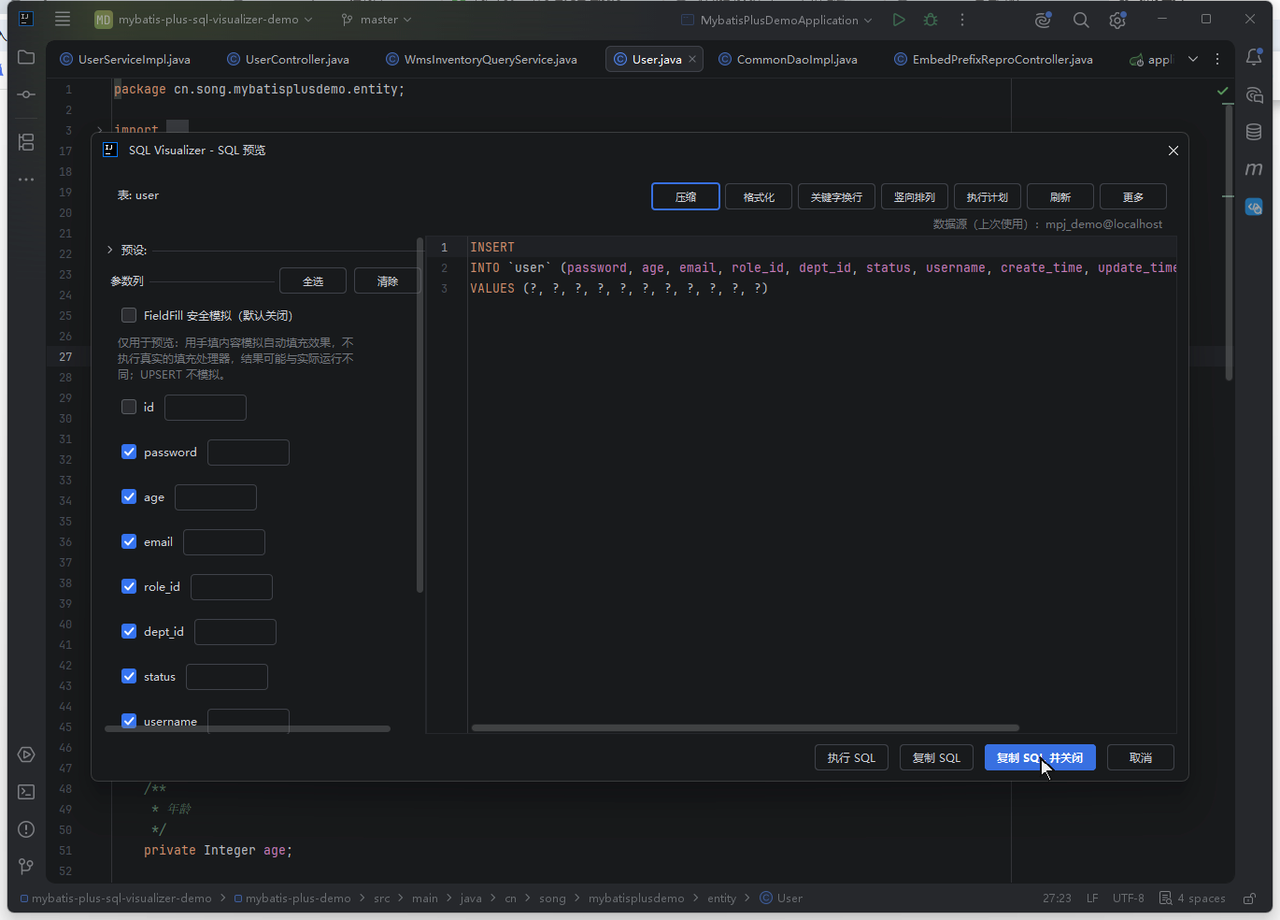
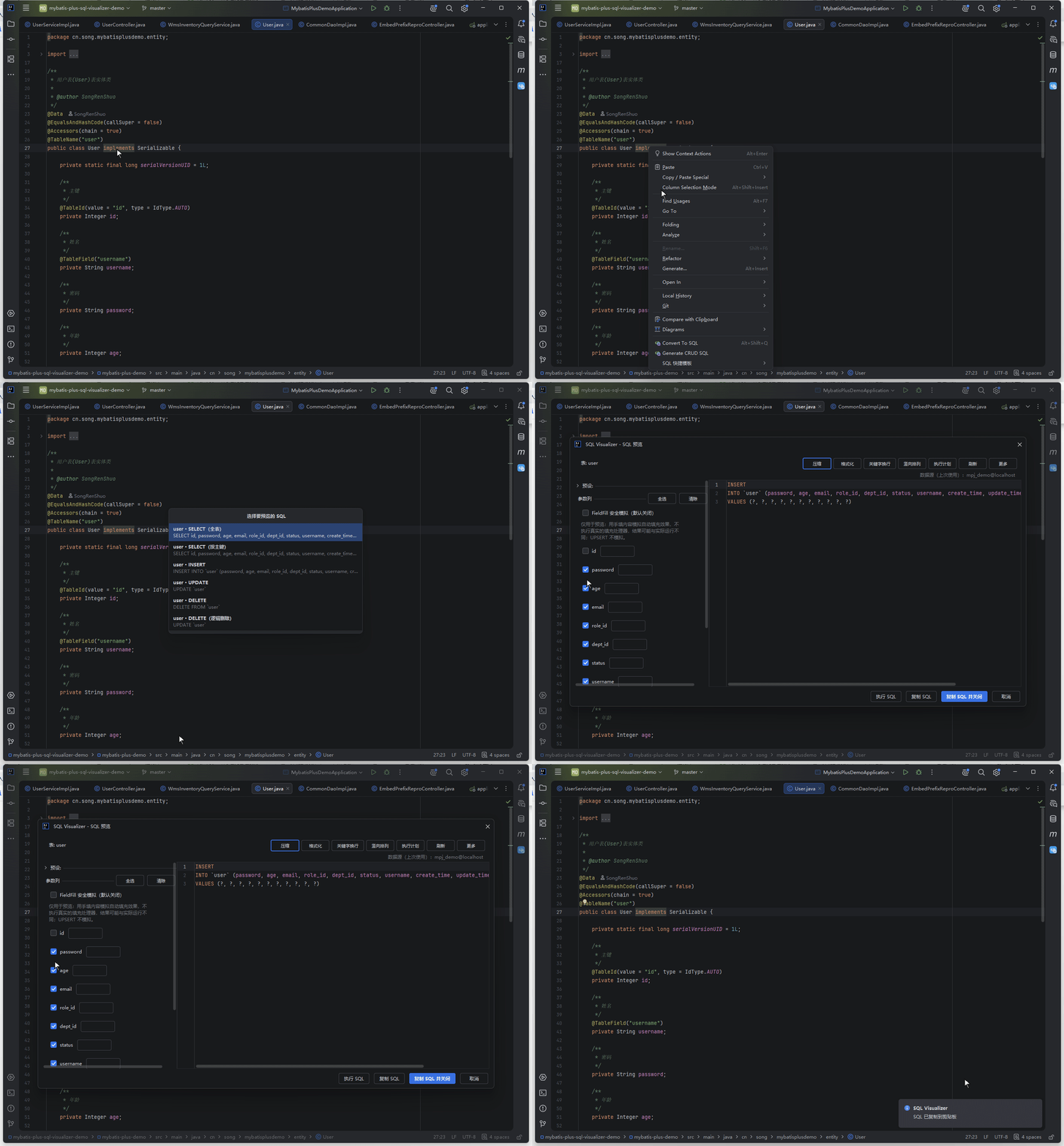
One-Click CRUD SQL Generation
Right-click an entity class or a database table for SELECT / INSERT / UPDATE / DELETE candidates; pick one and it opens in the preview, ready to edit or copy.
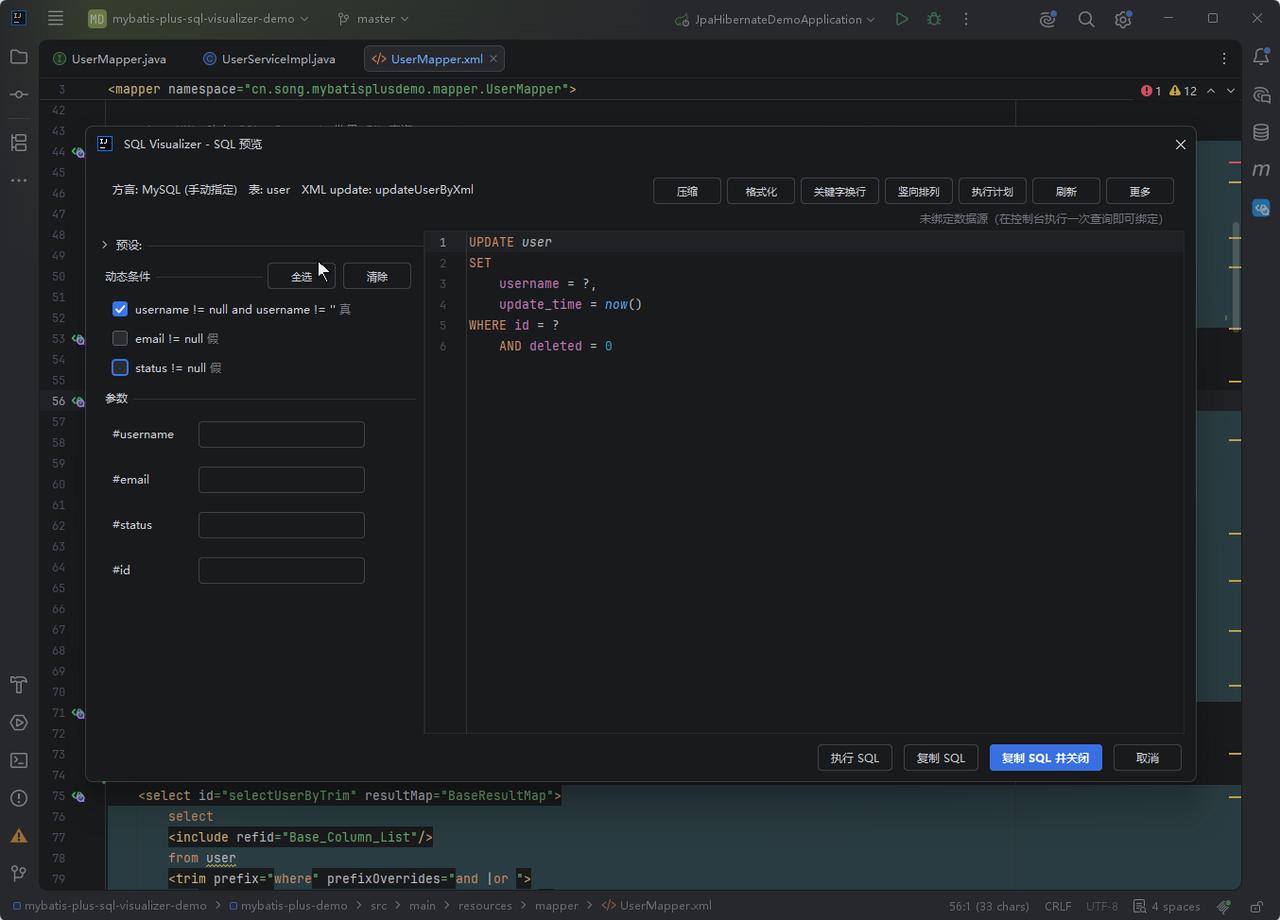
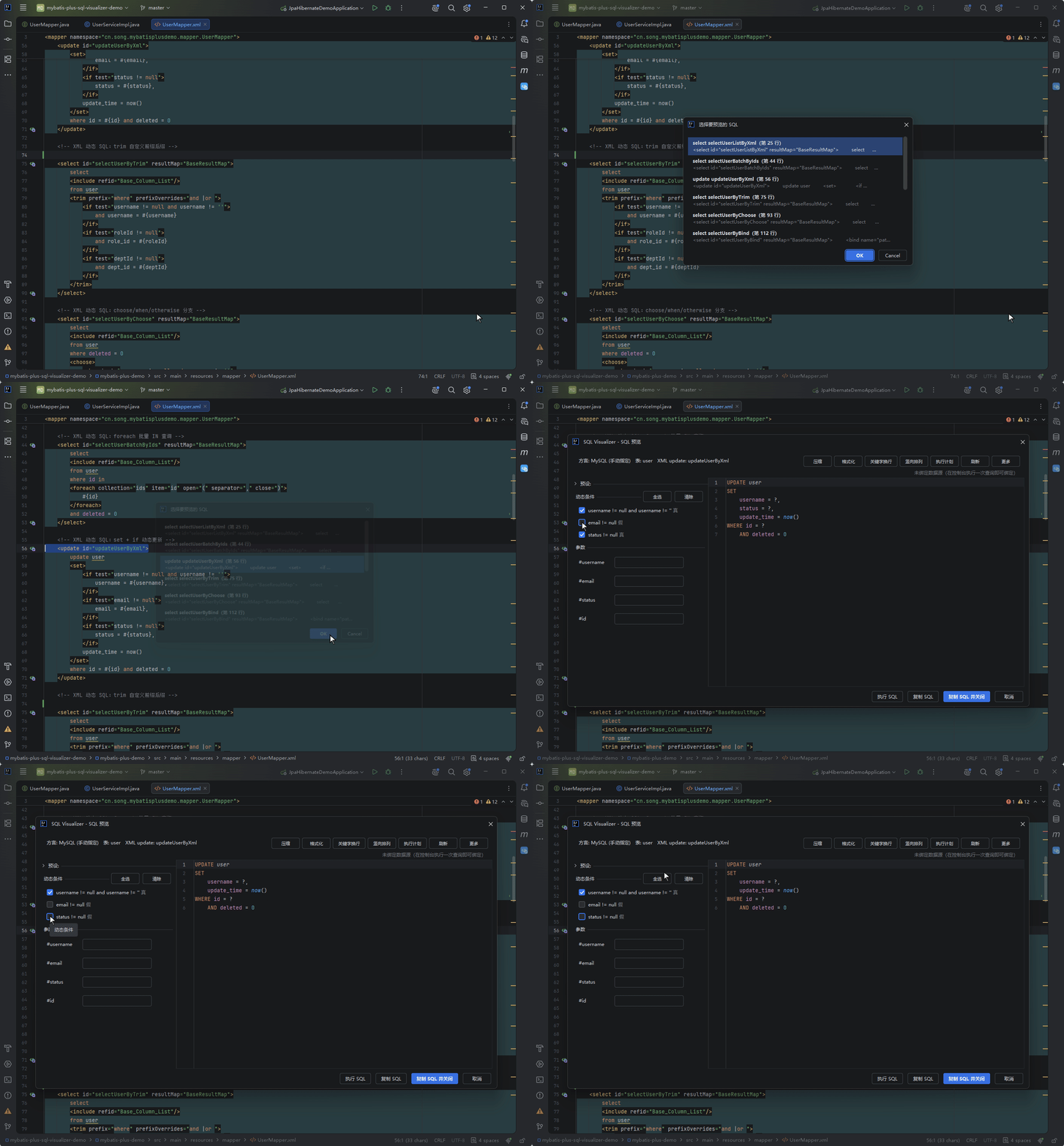
XML / Annotation / MPJ Coverage
Every dynamic tag in mapper XML rendered with MyBatis semantics, with annotation SQL supported the same way.
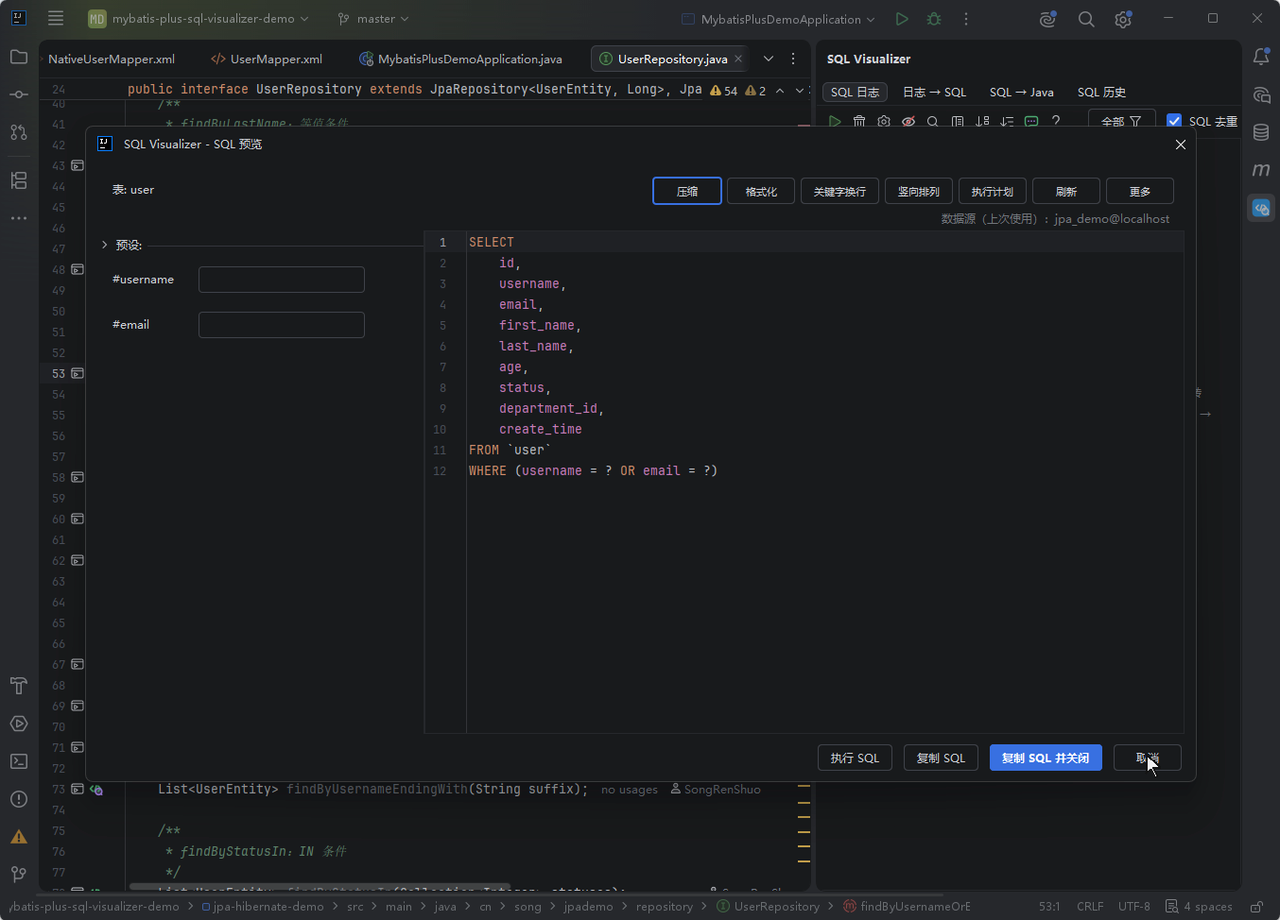
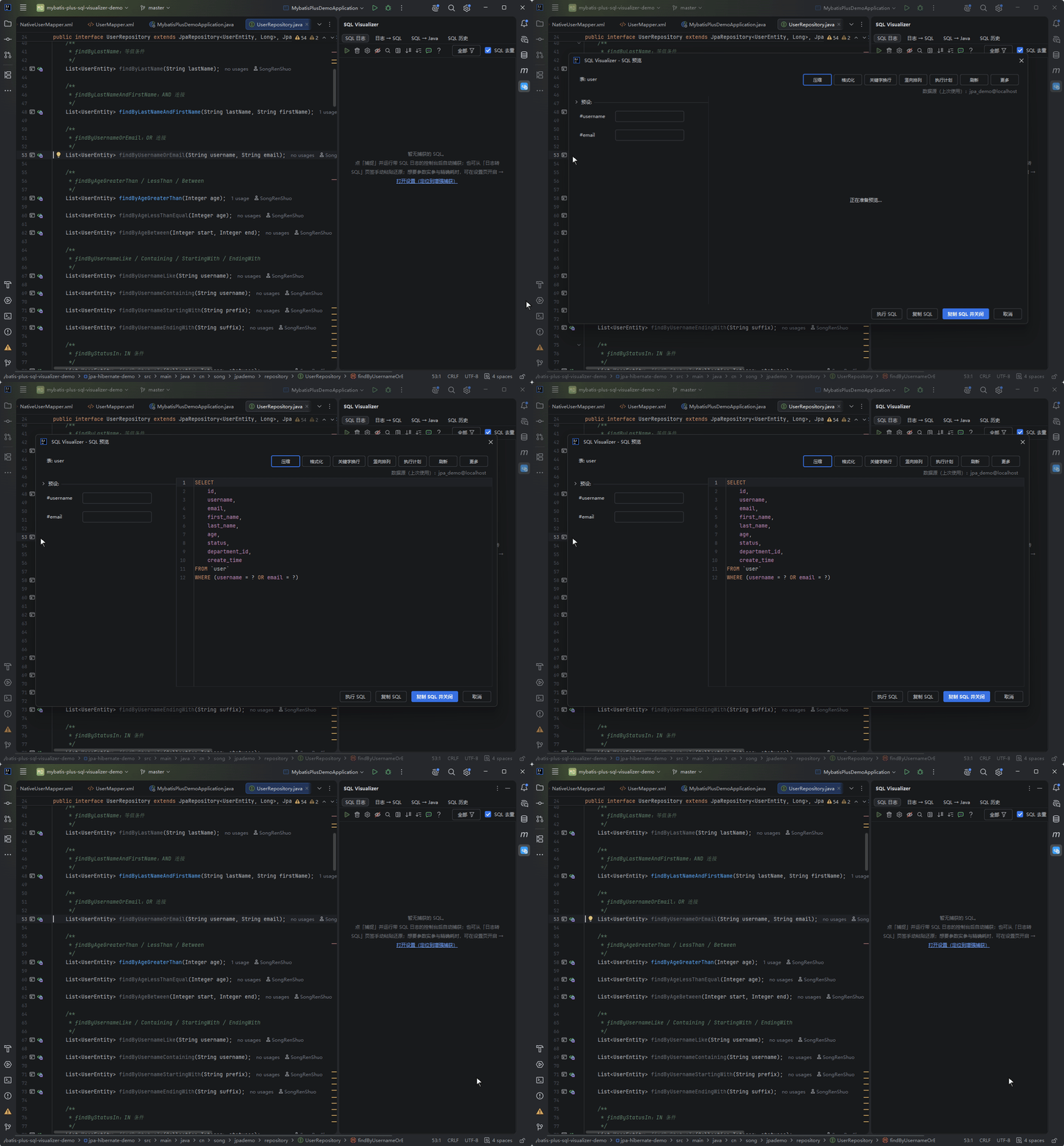
JPA / Hibernate SQL Preview
Repository derived methods, JPQL / HQL and Criteria chains parsed into SQL statically — no Spring container, no database connection.
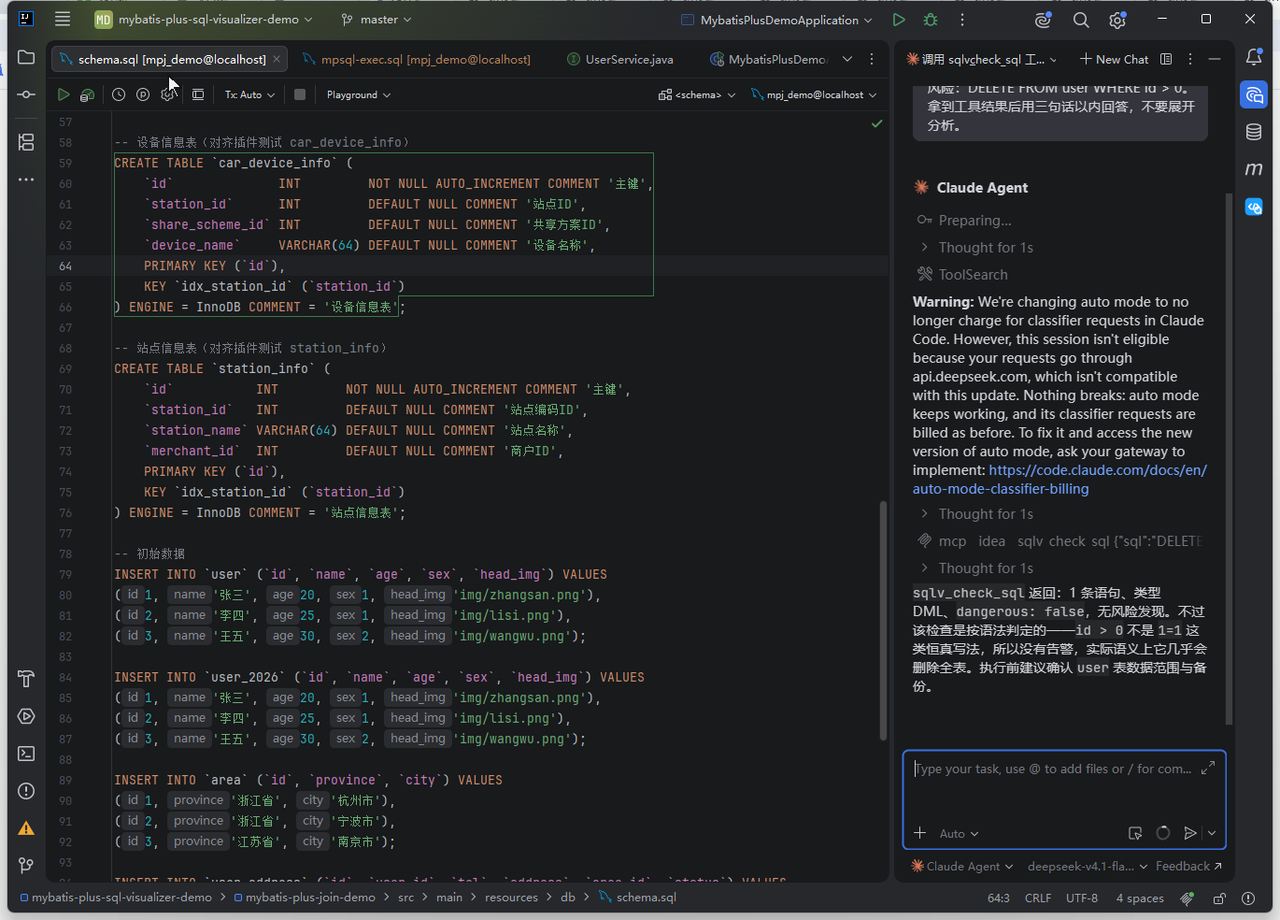
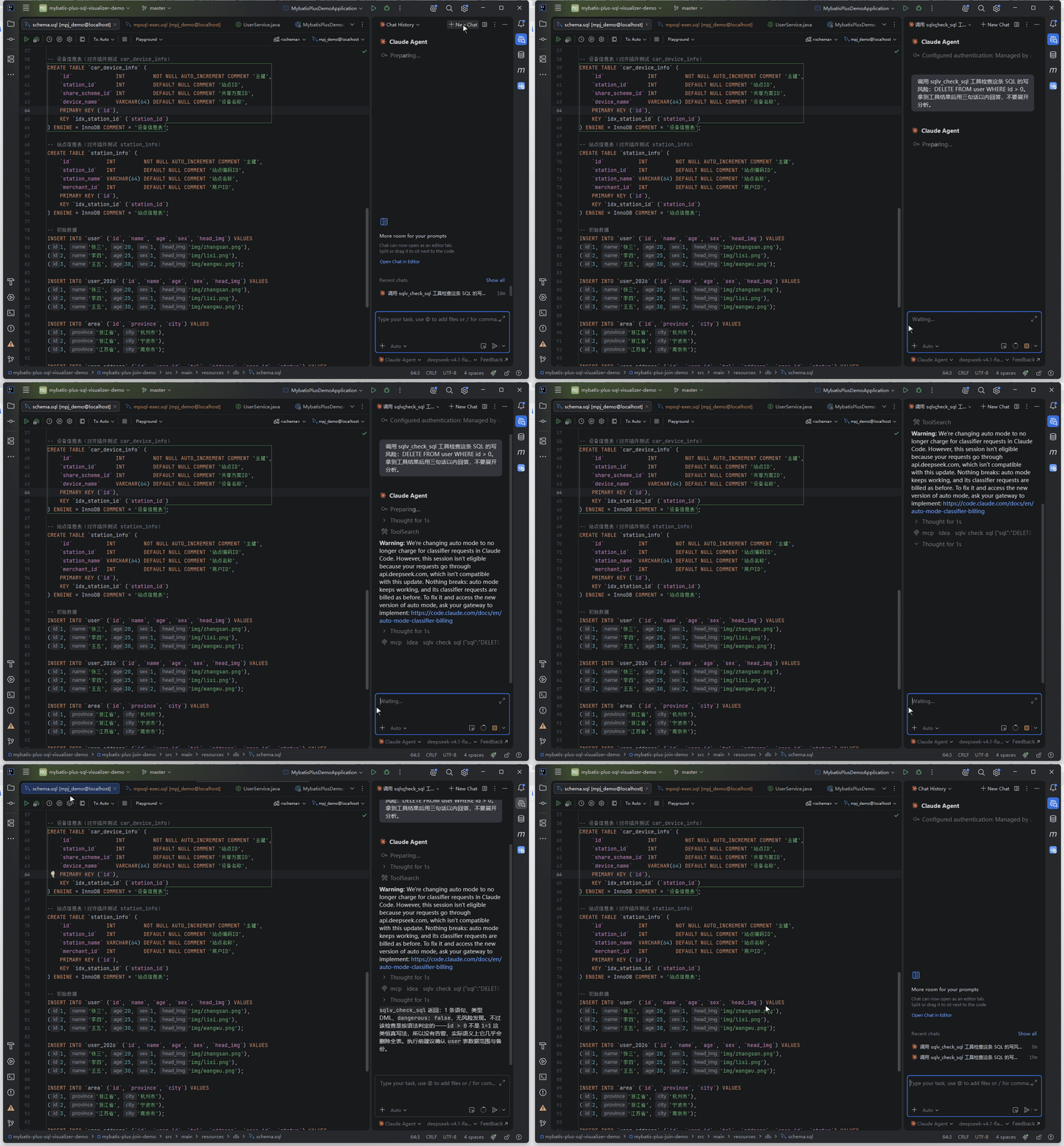
MCP Server: SQL Tools for AI Agents
Claude Code / Cursor / AI Assistant / Codex connect straight to the plugin through IDEA's built-in MCP Server — keep coding in the IDE while the agent works alongside.
Powerful SQL preview
across dialects and scenarios
Pagination rendered for 14 database dialects, parameters replaced with actual values, LIKE gets its percent signs automatically, and dynamic conditions toggle live in the panel.
Everything You Need
Preview, capture, trace, generate — the four things SQL debugging takes, in one plugin.
Multi-framework support
Preview every SQL style your project uses
Performance
Results on click, no project startup
Smart detection
Preview icons appear on Wrapper chains
Broad integration
Wired in from the first line to the running app
Safety
Mistakes stopped before execution
History
Every preview and conversion kept on record
Slow queries & advice
The slowest statements, right at the top
Source-level navigation
From a log entry to the line that ran it
SQL → Java reverse conversion
Paste SQL, get wrapper code you can run
Completely free
under Apache-2.0
Every SQL Visualizer feature is free forever. No sign-up, no login — install and go.
- All features completely free
- Open source, code auditable
- Continuously updated, community-driven
- No registration, works out of the box


How developers actually use it
Three notes from real use — each one tied to a concrete scenario.
Found a pagination bug without starting the project
Half the projects I inherit are MP and half are JdbcTemplate string SQL. Both styles show an icon at the start of the line now — one click gives me the SQL, and even StringBuilder-assembled queries restore.
Changing a query no longer needs a colleague to run the app
Our legacy Hibernate project maps entities in .hbm.xml, and Criteria chains never showed what finally ran. Now HQL, Criteria and hbm named queries all restore to SQL directly.
Picked out two queries missing their index during a load test
The SQL log window captures automatically when the project opens, parameters come pre-filled, slow queries flag red, and you can click back to the source line. No IDE restart after install.
Completely Free
One tier only — there is no paid version. Every feature free forever, no sign-up, no login.
- $0 forever
- Apache-2.0 open source
- Reports no usage data · code stays local
- 14 database dialects
SQL preview
See the final SQL while writing code, without starting the project
- Wrapper → SQL live preview
- XML / annotation dynamic SQL preview
- JPA / Hibernate (HQL · Criteria · hbm)
- MPJ join reverse parsing
- Other ORM chains (xbatis / Easy-Query etc.)
- Dynamic conditions toggle and re-render
Runtime capture
Once the app runs, real parameters, durations and source lines arrive automatically
- Enhanced capture: real parameters, exact durations
- Console log restore (fallback channel)
- Log SQL jumps back to source
- Frame-by-frame call stack jumps
- Slow-query flagging and same-shape clusters
- Batch operation parameter panel
Generation & analysis
Generation, execution and checks for after-the-fact work
- SQL → Java reverse conversion (four forms)
- CRUD SQL generation
- Real EXPLAIN plans
- SQL code completion
- No-WHERE warnings and logic-delete injection
- Eleven MCP Server tools (IDEA 2025.2+)
Ready to leave tedious
SQL debugging behind?
Join 1000+ developers getting a better SQL debugging experience in IntelliJ IDEA. Every feature is free forever.